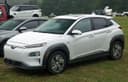
 Kona EV Kona EV |  RAV4 RAV4 |  K5 K5 | |
|---|---|---|---|
| Price | $34,990 | $24,500 | $31,990 |
| Odometer | 41,200 km | 98,400 km | 52,300 km |
| Fuel | Electric | Petrol | Petrol |
| Drive | FWD | AWD | FWD |
| Seats | 5 | 5 | 5 |
Up to eight cars, one table
Tick cars as you browse and they collect in a tray at the bottom of the screen. Open it and every car becomes a column: price, odometer, fuel type, transmission, drive, body, seats, colour and every other field the seller filled in, each on its own row so your eye runs straight across.
The label column stays put while the car columns scroll sideways, so on a phone you can still see which row you are reading. Nothing is summarised or scored — it is the sellers own words and figures, lined up.
The rows come from the listings, not from a template
The specification rows are built from the storefront own field template, so a comparison shows the fields that marketplace actually collects rather than a fixed list that half the cars cannot fill. A row nobody has filled in for any of the cars is dropped instead of showing a column of dashes.
That also means the table grows by itself. When a marketplace adds a field, comparisons start showing it without anyone editing a comparison page.
Share the shortlist, not a screenshot
The comparison lives in its own address, so sending it to whoever is helping you decide is a matter of copying the link. They see the same cars in the same order, with the live prices rather than the ones that were true when you took a screenshot.
From there you can race the same shortlist on five-year cost, which answers the question the spec table cannot: not which car has the better numbers, but which one takes less of your money.
No account needed to shortlist
Ticking cars and comparing them works signed out. The shortlist is kept in your own browser, so you can gather half a dozen cars over a lunch break without handing over an email address to find out what they cost.
Signing in adds the things that need an account — saving cars so they follow you to your phone, messaging the seller, making an offer — but reading the cars side by side is not one of them.