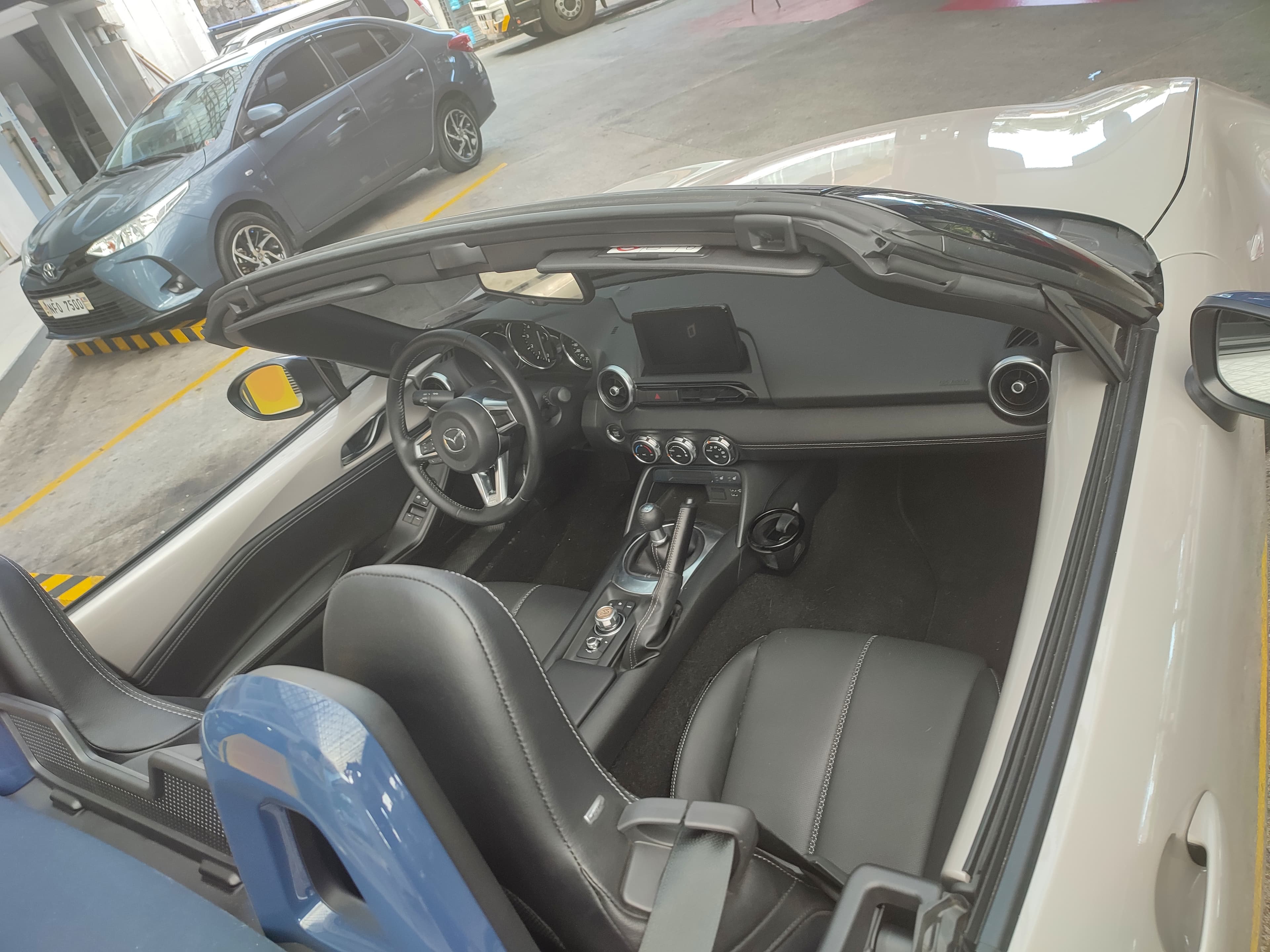
Press a real button in a car and you know it worked. You feel the travel, you hear the click, and the demister is on — no glance, no menu, no doubt. That click is a receipt. A touchscreen gives you no receipt. It gives you a patch of glass and asks you to hope: hope you hit the target, hope it registered, hope you were in the right menu. The only way to settle the hope is to look, and looking is the whole problem.
We are not against screens. Maps, cameras and music are better on them. But the controls you reach for while the car is moving should work with your eyes on the road, and the research keeps landing on the same side.
- >50%
- slower reactions using a touchscreen infotainment system in TRL's simulator
- 16 s
- longest glance away from the road in the same study
- 4–5
- car lengths added to motorway stopping distances
- 2 s
- the glance that doubled crash risk in NHTSA's 100-car study
Confirmation you can feel
A physical control answers back. The click of a button, the detent of a knob, the resistance of a stalk — each one tells your hand the action happened. You do not have to check, because the control itself confirmed it. And its position is its own display: a headlight switch rotated to ON tells you the lights are on, without asking the car anything.
A screen button offers none of that. There is no edge to find, no travel to feel, no click to hear. The only way to know your tap landed is to look for something to change — the exact glance you were trying to avoid. Some systems beep, but a beep says "I heard a tap". It does not say the thing you meant has happened.
A button that never moves
Give a physical control a week and your hand learns it. The volume knob is in the same place it was yesterday, and it does the same thing it did yesterday. That predictability is the feature: your hand goes to the right spot on its own, and your eyes stay where they belong.
A real button is a guarantee. A screen button is a hope.
Screen controls have no fixed address. The target you want moves between menus, reshuffles after updates, and hides behind whichever screen happens to be showing. Your hand cannot memorise something that keeps moving, so every adjustment starts with a look — find the right screen, find the right icon, then reach.
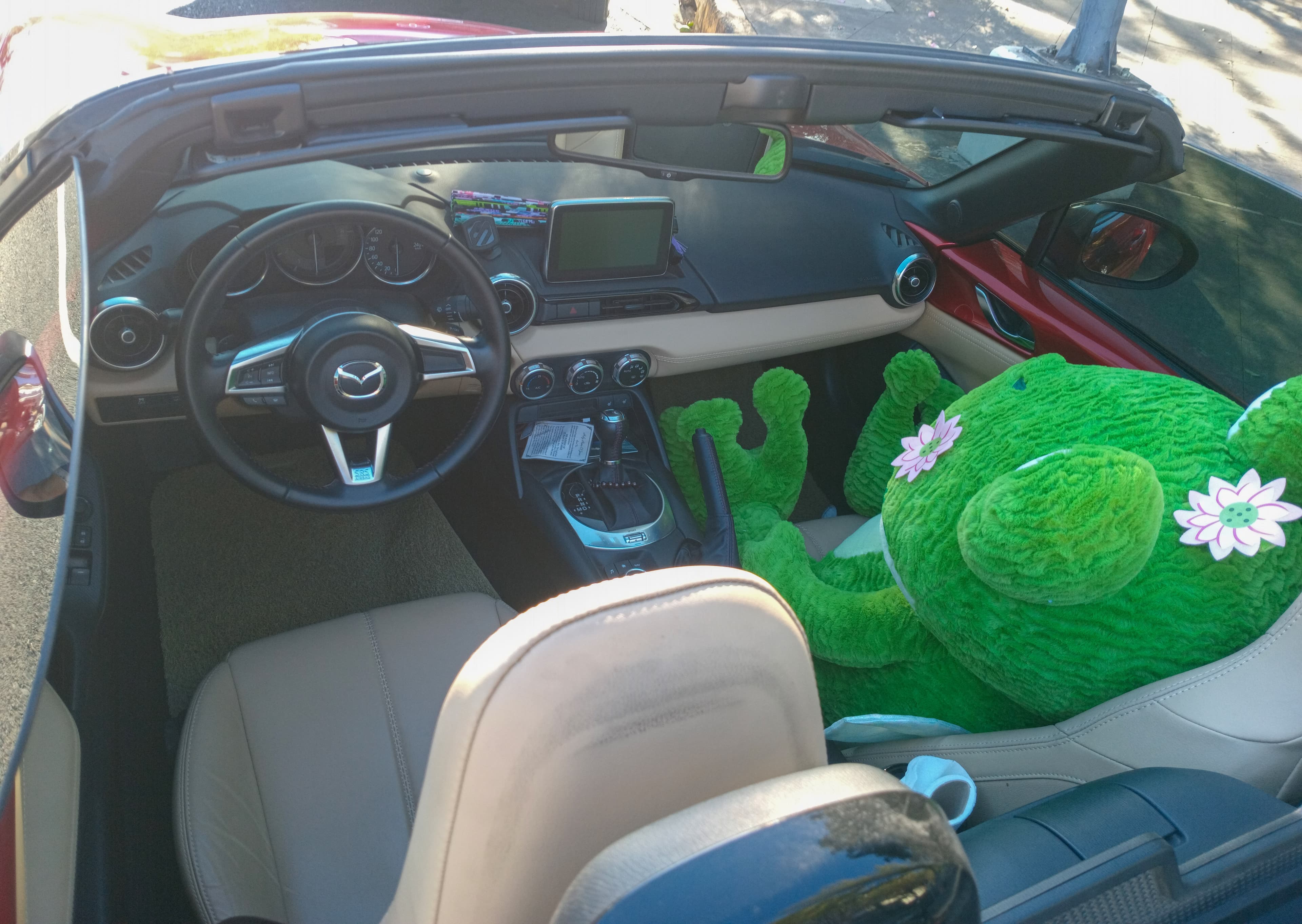
When one spot of glass means three things
Worse than moving is ambiguous. On a screen, the same icon can do different things depending on which menu is up, and the icon you want often sits a centimetre from one that does something else entirely. Hit the wrong one on a bumpy road and you have switched something on or off that you never meant to touch. Interface designers call these mode errors: the control did nothing wrong — its meaning changed underneath you.
A physical button cannot do that. It has one job, printed on its face, and it does that job every single time you press it. There is no context. There is no mode.
The industry has run the experiment for us
You do not have to take our word for it, because the car industry has already tested hope against guarantee in the market. Volkswagen replaced real steering-wheel buttons with touch-sensitive pads, and its own design chief has since called that a mistake and committed to bringing physical buttons back (opens in a new tab). Tesla removed the indicator stalk from the refreshed Model 3 and moved the indicators onto the steering wheel; after the feedback that followed, the updated Model Y kept its stalk (opens in a new tab) — a decision The Drive credits to customer feedback (opens in a new tab).
When the companies that pushed hardest into screens start shipping stalks and buttons again, the market has voted.
The research backs your hands
The cleanest evidence comes from a 2020 study by the UK's Transport Research Laboratory, commissioned by IAM RoadSmart, the FIA and the Rees Jeffreys Road Fund. Drivers in a simulator used Apple CarPlay and Android Auto by touch and by voice. The results were stark (opens in a new tab): reaction times using touch control were more than 50 per cent slower — worse than texting while driving. Eyes left the road for as long as 16 seconds. Stopping distances at motorway speeds grew by four to five car lengths, and lane position wandered by half a metre during navigation tasks. Voice control was better than touch, but it still significantly distracted drivers.
The detail that should worry every driver most: participants underestimated how long they had looked away by up to five seconds. You think it was a glance. The camera says it was five glances.
What to check on your next test drive
- Do it blind. On a quiet road, adjust the fan, the temperature and the demister without looking down. If you cannot do it on the test drive, you will not do it in the rain at night.
- One control, one meaning. Count how many controls change what they do depending on the screen. Fewer is better.
- Feel for the receipt. Does the car confirm by touch — a click, a detent, a stalk position — or only on the screen?
- Keep voice in perspective. It is a genuine help, but the same research says it still distracts. Treat it as a backup, not a substitute.
Related reading
- Bring back the buttons: touchscreens are a step backwards
A 2005 Volvo did four simple tasks in 10 seconds. A new MG took 44.9. Why physical buttons are safer, and why ANCAP now agrees.
- Used car inspection checklist: what to look for
What to check when inspecting a used car in Australia — body and panels, engine, interior and electronics, tyres and brakes, the test drive and the paperwork — plus the red flags that mean walk away.
FAQs
Are big touchscreens in cars against the rules?
No. But from 2026, ANCAP's testing criteria penalise cars that hide the horn, indicators, hazard lights and wipers in a screen (opens in a new tab), and Euro NCAP has moved the same way — physical controls for those functions are now worth points in the safety rating.
Isn't a touchscreen fine when you're parked?
Yes — that is exactly where it belongs. Maps, media and settings are screen jobs. The argument is only about the controls you reach for while the car is moving.
Is voice control the answer?
Part of one. The TRL study found voice control distracted significantly less than touch but still slowed reactions. Use it, but do not treat it as a substitute for a switch you can find by feel.
Which new cars still have proper buttons?
More than the trend suggested, and the number is growing again — Volkswagen is restoring them across future models, and cars like Mazda's MX-5 (in the photos here) never gave up their climate knobs. The best test is the one you run yourself on the drive.